Buying advice
Should I choose half walls or full walls for my gazebo?
Compare open sides, half walls and full walls for a printed gazebo. Plan customer access, visible branding and your event layout before designing in Studio.
Start with how customers will approach
Before choosing walls, picture a visitor arriving at your pitch. Will they stop at a table along the front, walk inside to browse, or approach from more than one direction? A full wall gives you a continuous fabric surface, but it also closes that side of the space. A half wall leaves the upper part open. An open side leaves the route clear. Choose the layout around the way you want to use the gazebo, then design the branding for those surfaces.
Use half walls to define the edge
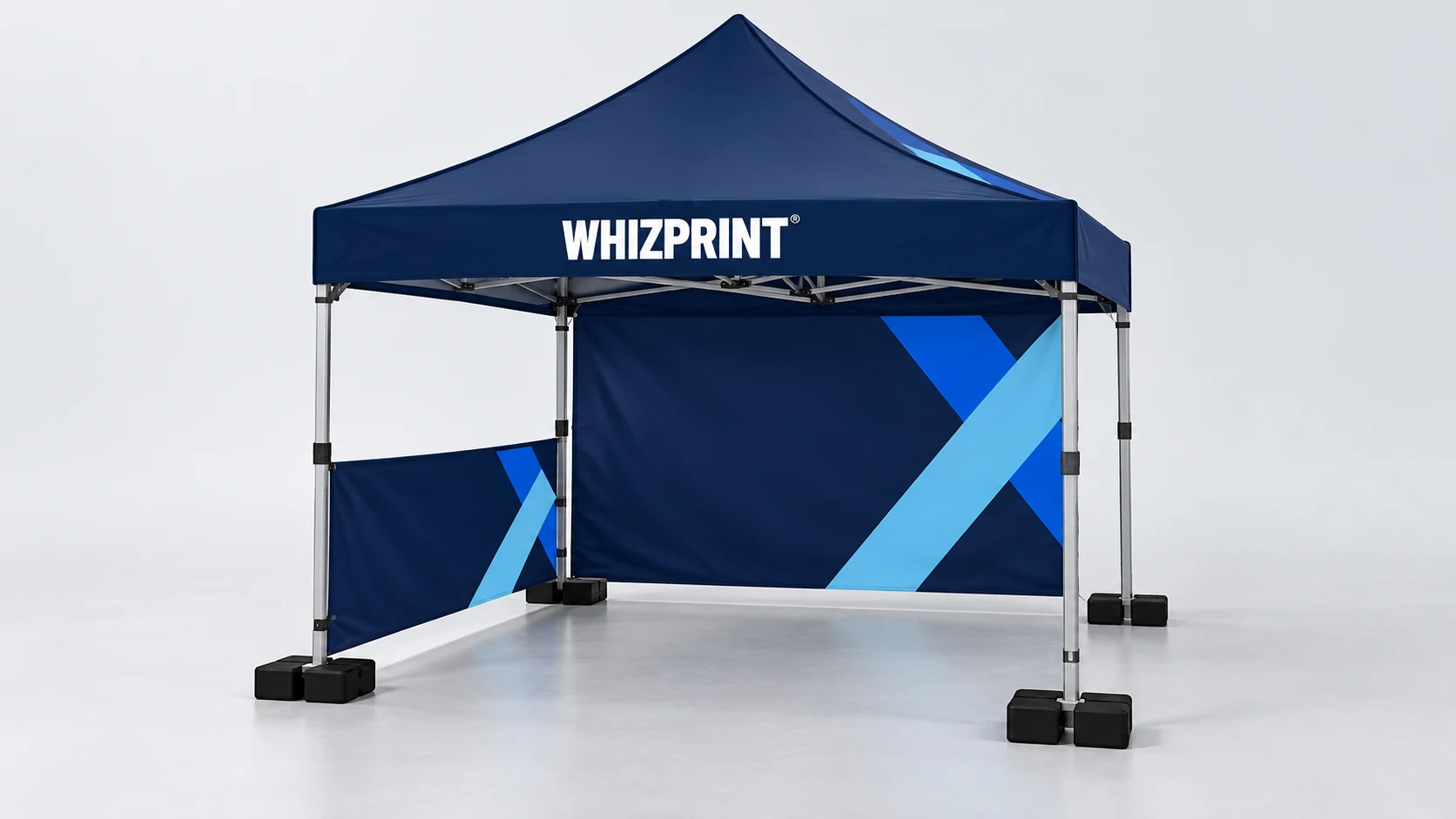
A half wall can give a side of your pitch a visible boundary while keeping the view above it open. That can suit a stand where you want people outside to see your team or products inside. It is a fabric panel, not a counter, shelf or crowd barrier. If you need somewhere to serve, display samples or take payments, plan a separate table and enough room to work behind it. Avoid placing a half wall across the only route you intend visitors to use.
Use full walls for a continuous backdrop
A full rear wall provides a larger uninterrupted area for a logo, photographs or a short message. It can help establish a background behind your team and display. Think about what sits in front of it: a table, stock or a person can hide low wording even when the design looks clear in isolation. Keep the main message in a visible area and check the assembled setup from the visitor’s viewpoint. A full side wall may suit a closed edge of the pitch, but removes the open sightline on that side.
Mix wall types around the gazebo
The Studio lets you choose wall types by side, so you do not have to use the same arrangement everywhere. One layout to explore is an open front, a full rear wall and a half wall on one side. Another is a more enclosed layout with a deliberate entrance. These are starting points, not rules for every event. Leave space for your team, table and stock, and check the organiser’s pitch and access requirements before treating the design as your final layout.
Consider windows and door options separately
Whizprint Studio also includes window walls and door options. A window introduces an opening within the wall design, so position important artwork on the surrounding fabric rather than across the window area. A door changes how people enter and how the front looks when open or closed. Check the available option for your chosen size in Studio. Review each affected panel after changing the wall type; do not assume artwork made for a plain full wall will still be correctly positioned.
Check both the print and the complete setup
Wall shape and print sidedness are separate choices. Consider which face visitors will see, then review the inside and outside of the gazebo. Use the flat artwork view to check individual panels and the 3D view to check the whole arrangement. Walls and a rendered preview do not establish that an installation is suitable for particular weather or ground conditions. Confirm the appropriate anchoring and use instructions for the actual site. Start with your gazebo size in Whizprint Studio, compare the walls, add your branding and review the current price. If you are unsure about the layout, send Whizprint your saved design and explain how you plan to use the space.