Design advice
Where should your logo go on a printed parasol?
Plan canopy and valance artwork for a printed parasol, with clear branding from the pavement, terrace and seating area.
Start with the direction your customers approach
Before placing a logo, decide where the parasol will stand and where people will see it from. A pavement-facing terrace has a different main viewpoint from a seating area with paths on several sides. Sketch the table, entrance and likely approach routes. Choose the main viewing direction, then check the design from the opposite side too. The aim is for someone arriving to recognise your business without having to walk around the parasol.
Give the canopy and valance different jobs
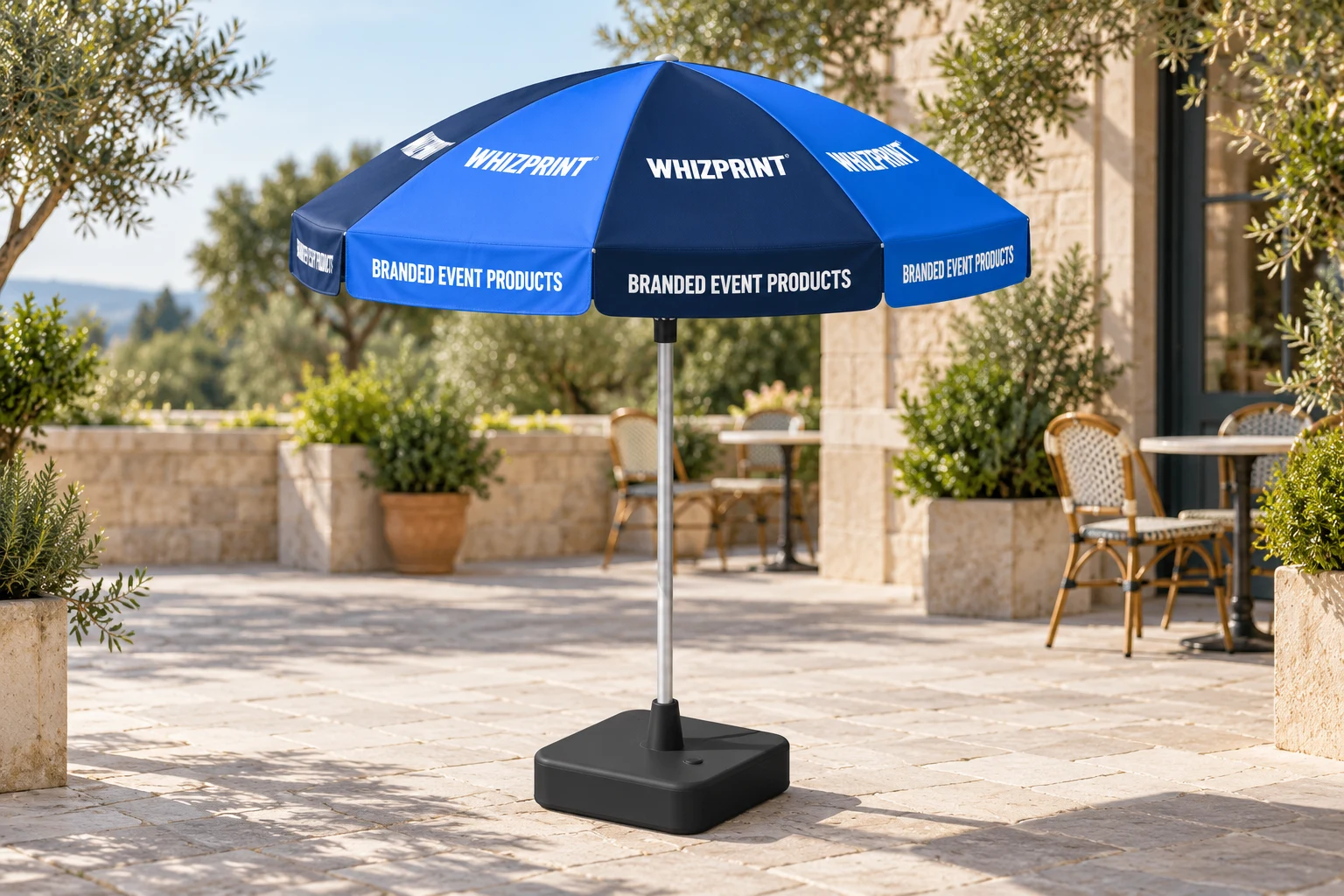
The canopy is the sloping fabric above the pole. The valance is the narrow hanging strip around its edge. Use the canopy for a bold business name or logo, and keep the valance message short enough to read at eye level. A café might put its name on the canopy and a simple description such as Coffee and cake on the valance. Avoid trying to fit a full menu, opening hours and contact details into that narrow strip.
Repeat a complete logo on separate panels
Whizprint Studio’s round parasol model has eight canopy panels and eight valances that can be designed individually. Treat each canopy panel as a separate viewing surface. A complete logo repeated around the canopy is easier to judge than one long name spread across several seams. Keep important lettering away from the narrow tip of each canopy panel. Check each placement rather than assuming a logo that fits one view will read equally well from every angle.
Use contrast before adding more detail
Start with your main brand colour and a contrasting logo. Preview the design at a smaller size to see whether the name still stands out. If it disappears, simplify the artwork or increase the logo size while keeping it within the panel. Alternating colours can distinguish the panels, but use colours already in your brand palette. A busy photograph behind small lettering can make both harder to understand, especially across the folds and slopes of the canopy.
Check seated and standing views
Rotate the parasol in Studio and inspect the canopy, edge lettering and reverse side. A high view can make the roof artwork look prominent while hiding how little of it a seated customer may see. Compare that view with a lower angle. Consider nearby tables and signs as well: repeat the same business name and colours across the space, while letting a separate sign carry detailed information that does not belong on the parasol.
Keep the visual design separate from the production template
The current Studio parasol uses visual panel proportions, with production templates still awaiting supplier confirmation. Use the preview to decide on colours, messages and placement. Do not use the displayed panel dimensions as a cutting template or assume the preview establishes final bleed and seam allowances. Before production, have the final artwork checked against the confirmed supplier template. For the installation, check the selected product’s base requirements and operating guidance for your site rather than judging suitability from a styled image.
Try your branding on a parasol
Browse the printed parasol product, then open it in Whizprint Studio to try your logo on the canopy and valances. Review the whole parasol from several directions before settling on the layout. If you need help fitting an existing logo or preparing artwork for the confirmed template, send Whizprint your design and explain where the parasol will be used.