Design advice
What should you put on a branded photo frame for an event?
Choose clear wording, a recognisable profile image and an easy-to-find social handle for your event photo frame. Preview the layout in Whizprint Studio.
Decide what the photograph should say
A branded photo frame has two jobs: leave room for the people in the picture and make the event or business recognisable. Start with one purpose, such as welcoming visitors to a launch, marking a club celebration or helping people remember your stand. Choose the business or event name first, then a short supporting message. A list of services, several web addresses and a paragraph of promotional copy will compete with the photograph.
Choose the format and size before writing the copy
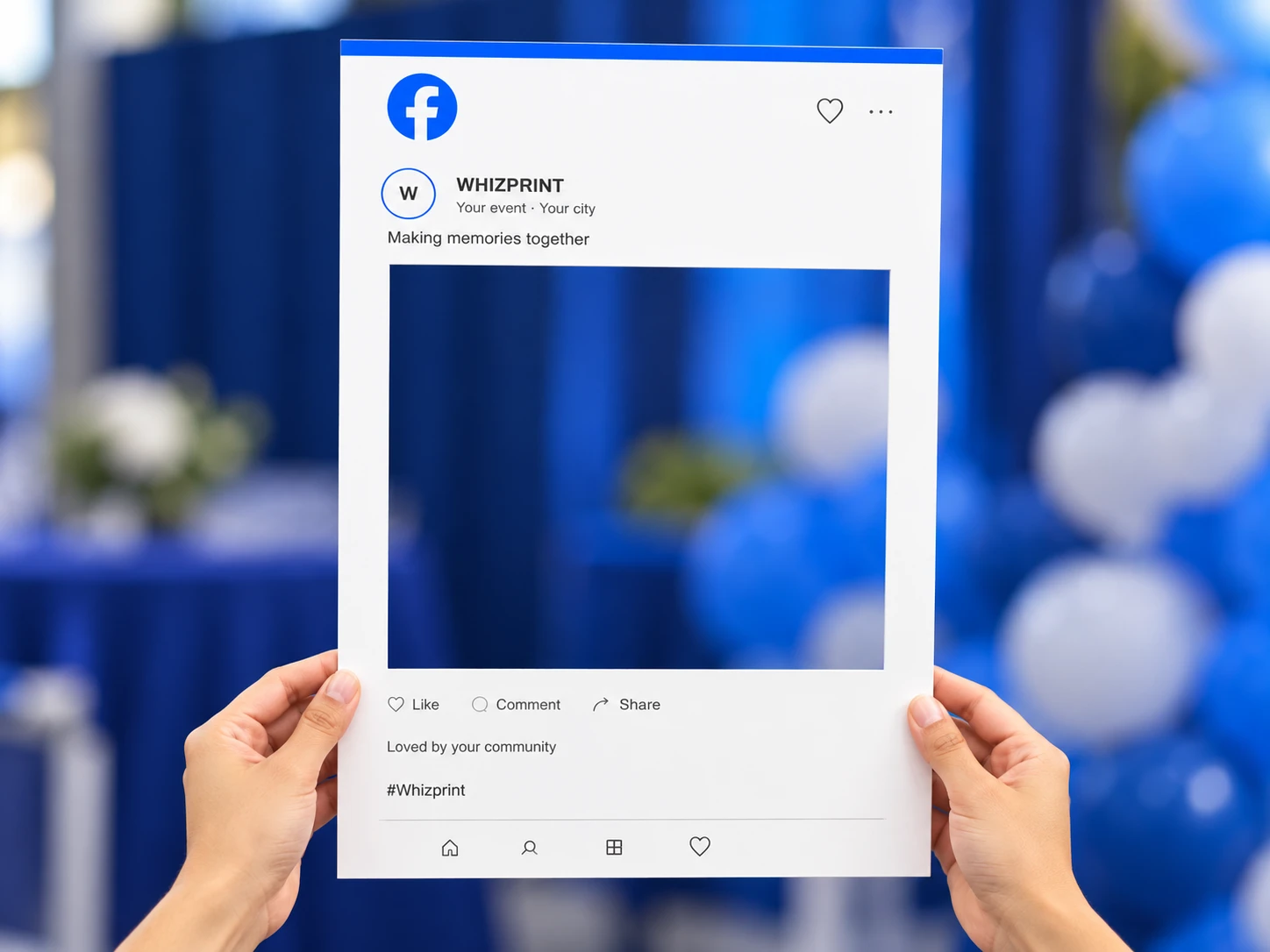
Whizprint Studio offers Facebook-style and Instagram-style photo frame layouts, with 18 × 22 in and 24 × 36 in size options. Those measurements describe the outside of the frame, not the opening. Decide how the prop will be used and check the actual opening before planning a group photograph. Mark the outer dimensions on a piece of card if you need a quick sense of scale. Review your chosen size in Studio before arranging the text, because a layout that looks spacious on one format may feel crowded on another.
Use a profile image that survives a small crop
The profile image occupies a small circular area. A simple brand mark or an uncomplicated symbol is usually easier to recognise there than a complete logo containing a long strapline. Check the crop carefully: the edge of a rectangular logo can disappear inside the circle. Use the name field to carry the full business name rather than asking the tiny profile image to do everything. Review the image at roughly the size it will appear in the finished photograph, not only while zoomed into the editor.
Keep the message short and the details useful
Use the message field for a brief line that belongs to the occasion. The location field can identify the event and place, while the hashtag field can carry a short event tag or your public social handle. Check every spelling against the account you want visitors to find. Avoid filling the frame with several similar tags. If you plan to use it at more than one event, consider leaving out a date or location that will make the design feel out of date at the next one.
Leave the opening and hand positions clear
The central opening is where the people appear; it is not another printed panel. Keep your important wording in the supplied printed areas around it. Think about where someone will hold the lower edges, as fingers can obscure nearby text in a photograph. Try a quick phone photograph of the preview and reduce it to the size of a social post. Can you still identify the business? Does the main message remain readable? Check both a close portrait and a wider shot before approving the artwork.
Plan the photograph as well as the prop
Choose a background that does not compete with the frame. Check the lighting from the position where the photograph will be taken, rather than only from where the person holding the frame stands. A busy display behind the opening can distract from faces, while strong light behind a subject can make the person appear dark. Give people space to hold the prop without blocking an entrance or queue. A frame can invite participation, but it does not guarantee that visitors will post the photograph or tag your business.
Try your wording in Whizprint Studio
Open the social media photo frame in Studio, select the layout and size, then personalise the profile image, name, location, message and hashtag fields. Check how the chosen layout uses each field and inspect the opening before ordering. Review the current price for your configuration in Studio. If you would like help preparing a logo or simplifying the wording, send Whizprint an artwork enquiry with the event name and the text you want to include.