Event planning
Where should you position a branded counter on your event stand?
Plan a branded counter position that leaves room for visitors, keeps your message visible and gives your team space to work.
Give the counter one clear purpose
Decide what you want a visitor to do at the counter before deciding where it goes. A welcome point needs to be easy to find. A place for a longer conversation needs space for people to stop. A demonstration may need a separate work surface with enough depth for equipment. Write down the main activity and arrange the stand around it. A counter placed only to fill a gap can end up blocking the very product you want people to see.
Keep an obvious route into the stand
For a stand with one open side, try placing the counter towards one side of the entrance rather than directly across its centre. This can leave an inviting route to the display behind it. On a corner stand, check both approaches: an arrangement that looks open from one aisle may feel closed from the other. Keep the counter, its feet and any waiting visitors within your allocated area. Check the organiser’s access requirements before settling on the layout.
Allow space for the conversation, not just the furniture
Mark out the proposed position on the floor and add the space used by a member of staff and a visitor. Then walk past them as another visitor would. Can someone enter, turn and leave without squeezing around the counter? Include any chairs, bags and equipment your team will actually use. Do not rely on a tidy 3D view to reveal every access problem: review the real dimensions and consider visitors using mobility aids or pushchairs too.
Match the counter to the job
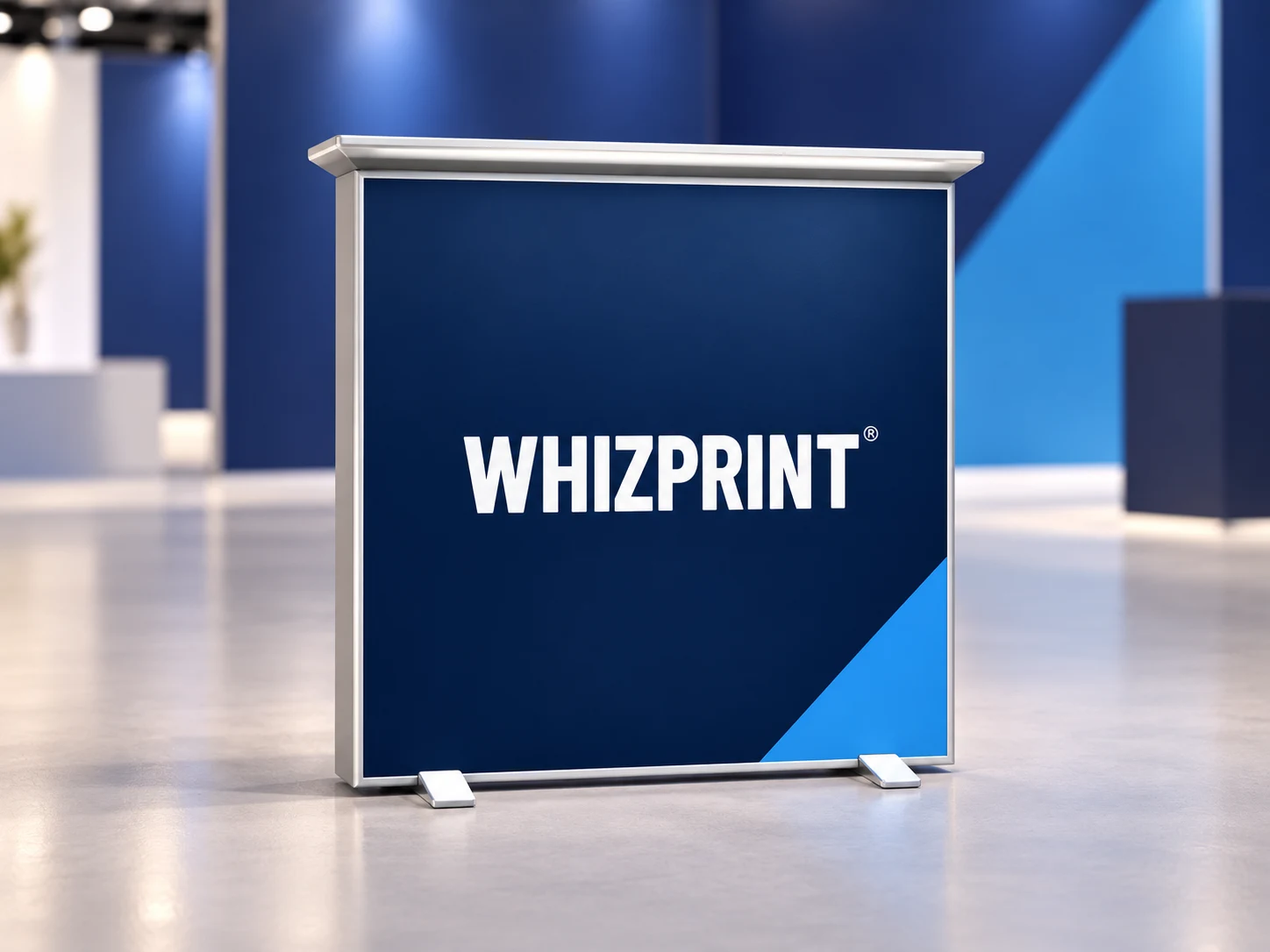
Whizprint Studio’s standalone branded counter is a slim lightbox-style display with front and back artwork surfaces. Treat it as a specific product, not as a promise of cupboard storage or a deep demonstration bench. Before planning a laptop, heavy samples or equipment on top, confirm the usable surface and permitted load. If your team needs a larger working area, compare a table setup as well. Check the components of the selected configuration rather than assuming extra fittings are included.
Let the counter and backdrop carry different messages
Put the business name or a short identifying message where it remains visible on the counter front. Keep detailed reading material elsewhere. If a backdrop stands behind the counter, preview them together: a well-placed logo can disappear behind the counter or the person working at it. Move essential backdrop wording above or beside those obstructions. Use consistent colours and typography across both products, but avoid repeating so much information that neither has a clear focal point.
Plan power before finalising an illuminated display
For an illuminated counter, confirm the product’s electrical requirements and the power available in your booked space. Include cable routing in the layout before choosing a position. A route that looks convenient in a mockup may cross the entrance or a busy aisle in practice. Follow the venue’s cable management requirements and the product’s operating instructions. Do not assume that an indoor display is suitable for an exposed outdoor pitch simply because it fits inside the space.
Review the stand from the visitor’s side
Add a branded counter in Whizprint Studio, apply your artwork and inspect both printed faces. Compare its position with the other products in your design, then look from the direction visitors will approach. Check that the entrance remains clear and the main message is not hidden. Browse the counter product for the available configuration, and send Whizprint your setup if you need help deciding how the counter should fit into the wider display.