Product guide
Lightbox displays: individual panels or a complete kit?
Understand the difference between a single illuminated display and a coordinated stand layout.
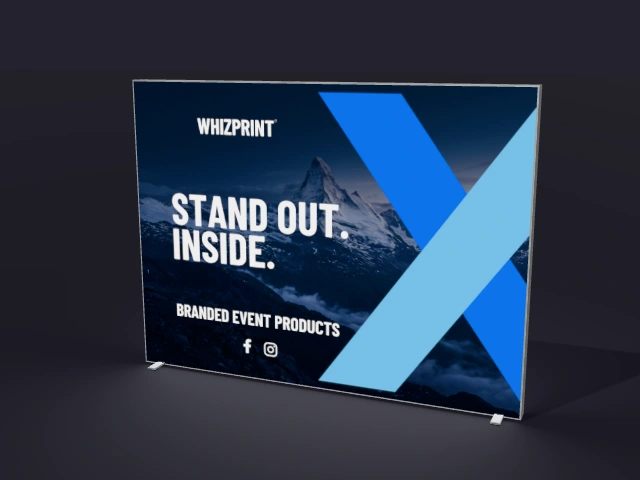
Illustrative preview; check the selected product configuration for included items.
Choose an individual display for a focused backdrop
An individual lightbox gives you one illuminated graphic surface. It can be a starting point for a branded backdrop or a display within a larger space. Think about where it will stand, how visitors will approach it and what furniture will sit in front of the artwork. Check the size options on the product page.
Choose a kit when the layout matters
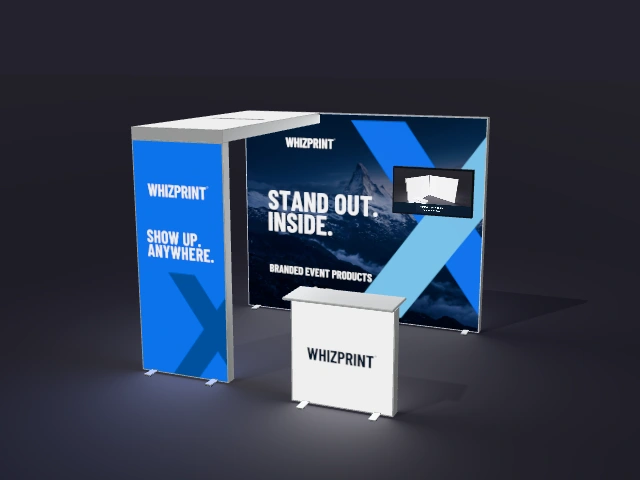
A stand kit gives you a starting arrangement of components to design together. The Whizprint range includes corner, arch and presentation layouts. A coordinated layout can help you plan where branding, conversations and demonstrations will happen. Compare the actual components and dimensions of each option.
Keep the artwork connected without repeating everything
A large wall can carry the main message while a smaller panel uses a simpler treatment. Repeat your colours and typography to connect the design, but give each surface a purpose. Use Studio to check the balance across the whole stand rather than judging each panel in isolation.
Check what your chosen setup includes
Look at the selected configuration and its options before ordering. Counters, shelving, storage and TV holders should be considered as specific components, not assumed from a styled image. Confirm any technical requirements that are not listed. Do not assume parts from different lightbox systems will connect simply because they look similar.
Preview, then discuss anything unusual
Start with the display or kit that most closely matches your event space. Personalise it in Studio and review the panels from several angles. If your requirements go beyond the available configurations, use the setup enquiry or WhatsApp option to discuss the design with Whizprint.